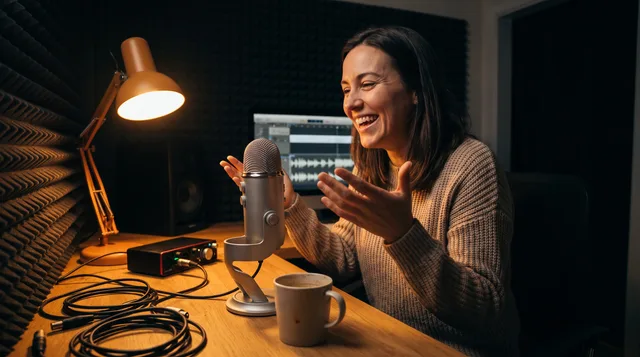
Make one anchor video each week and run it through five steps: plan a focused topic, record, pull 3-5 clips and quotes, adapt them into platform-native short-form content, and schedule across the week. Do this once and you get up to ten pieces, which makes a repeatable content repurposing workflow sustainable for beginners.
If you're a new creator, the biggest lie you keep hearing is that you need to post everywhere, every day. You don't. What you need is a content repurposing workflow — one repeatable process that takes a single video and spreads it across every platform you care about. Record once, publish for a week.
This guide walks you through a beginner-friendly system built around exactly one video per week. It's slow on purpose. The goal is a habit you can actually keep, not a schedule that quietly crushes you by week three.
Why one video a week is the right place to start
Most creators quit because they set an impossible pace. They try to film daily, edit nightly, and post to five platforms. Then they miss a day, feel guilty, and stop entirely.
One video a week fixes this. It gives you:
- A realistic production load you can hit even on a busy week
- Enough raw material to feed short-form content for days
- Room to improve each video instead of just surviving the next one
- A clear, boring rhythm that eventually feels automatic
When you're starting out, consistency beats volume. A single good video, chopped up smartly, can produce five to ten pieces of content. That's plenty.
What a content repurposing workflow actually is
A content repurposing workflow is the step-by-step path a piece of content follows from "recorded" to "published everywhere." Rather than brainstorming fresh ideas for every platform, you create one anchor piece and reshape it to fit each format.
Think of your weekly video as the trunk of a tree. The clips, quotes, captions, and posts are the branches. They all grow from the same root, so you're never starting from a blank page.
The workflow below has five stages: Plan, Record, Extract, Adapt, Schedule. Do them in order and the whole thing takes a few focused hours.
Your weekly video plan: picking the one topic
Before you touch a camera, you need a weekly video plan. This is the step people skip most, and skipping it is why so many creators stall.
Choose a topic that answers a real question
The best anchor videos answer one specific question your audience is already asking. "How do I start a podcast with no budget?" beats "My thoughts on podcasting." Specific questions repurpose cleanly because every answer becomes its own clip.
Keep a running idea list
Don't pick your topic the morning you film. Keep a simple note with 10–15 ideas so you're never stuck. Each week, pull the one you're most excited to talk about.
Plan the structure, not the script
You don't need a word-for-word script. You need a rough outline with three to five points. Each point should stand on its own, because each one later becomes a separate piece of short-form content.
A good anchor video structure looks like this:
| Section | Length | Repurpose potential |
|---|---|---|
| Hook / problem | 30 sec | Opening clip, caption idea |
| Point 1 | 2 min | Standalone short |
| Point 2 | 2 min | Standalone short |
| Point 3 | 2 min | Standalone short |
| Takeaway | 1 min | Quote graphic, carousel slide |
Step 1: Record your anchor video
Keep recording simple. A phone, decent lighting near a window, and clear audio are enough to start. Don't buy gear before you've proven you'll show up.
A few habits that make repurposing easier later:
- Pause between points. A short beat of silence makes clips easy to cut cleanly.
- Restate the question before answering. Each clip needs context, so say "If you're wondering how to..." before you dive in.
- Film a little extra. Record a quick intro and outro you can mix and match.
Aim for an 8–12 minute video. Long enough to be useful, short enough to produce a handful of good clips.
Once your video is recorded, watch it back once with a notepad. Mark the timestamps where you said something clear, punchy, or genuinely helpful. Those are your clip candidates.
For your first few weeks, aim to pull:
3–5 short clips (15–60 seconds each) for vertical platforms
- 1–3 quotes worth turning into text or a graphic
- 1 key idea you can expand into a written caption or post
- Don't overthink which moments are "viral." Pick the clearest ones. When you're new, clarity travels further than cleverness.
A quick extraction checklist
Step 3: Adapt for each platform
[ ] Watched full video once
[ ] Marked 3-5 clip timestamps
[ ] Noted 1-3 quotable lines
[ ] Identified the single core takeaway
[ ] Saved thumbnail/cover frame
This is where the real payoff lives. The same clip shouldn't be posted identically everywhere. A quick adaptation makes each piece feel native.
Turning clips into short-form content
Vertical short-form content is the heart of most repurposing. For each clip you pulled:
Crop it to a 9:16 vertical frame.
- Add captions — most people watch on mute.
- Write a hook on screen for the first two seconds.
- Trim dead air from the start so it opens fast.
- The same edited short usually works across all the major short-form platforms. You make short-form content once and distribute it three times.
Turning quotes into text posts
Take your quotable lines and reshape them for text-first platforms. A single sentence from your video can become a standalone post. Add one or two sentences of context and you've got a thread or a short write-up.
Turning your takeaway into a carousel or newsletter
Your core takeaway — the one thing you most want people to remember — can become a carousel, a short blog post, or the opening of an email. You already said it out loud in the video, so you're just transcribing and tidying.
Here's how one video fans out:
Asset
| Source | Platform type | Full video |
|---|---|---|
| The recording | Long-form video | 3-5 shorts |
| Clip timestamps | Short-form video | 2-3 text posts |
| Quotes | Text / social | 1 carousel |
| Core takeaway | Visual / social | 1 newsletter blurb |
| Outline + takeaway | That's up to ten pieces of content from a single afternoon of work. |
Step 4: Schedule and space it out
Don't publish everything at once. The point of a content repurposing workflow is to fill your week, not to flood a single day.
Spread your assets across the days so your feed stays active without you lifting a finger mid-week. A simple default rhythm:
Day
| What goes out | Monday |
|---|---|
| Full anchor video | Tuesday |
| Short clip #1 | Wednesday |
| Quote / text post | Thursday |
| Short clip #2 | Friday |
| Carousel or takeaway post | Saturday |
| Short clip #3 | Sunday |
| Newsletter / recap | Use any free scheduler to load these in on your production day. Batch the scheduling and your week runs on autopilot while you live your life. |
Putting the full workflow on a timeline
Here's what a realistic week looks like once the whole process comes together. Notice how the heavy work gets concentrated into one block.
The trick is that your creative work happens once. The rest of the week is just engagement and gathering ideas for next time.
DAY 1 (production day, ~3-4 hrs)
  - Pick topic from idea list
  - Outline 3-5 points
  - Record anchor video
  - Extract clips + quotes
  - Adapt into short-form content
  - Schedule everything

DAYS 2-7 (hands-off)
  - Content auto-publishes
  - Reply to comments
  - Jot down new topic ideas
Common beginner mistakes to avoid
A few traps will quietly sabotage your workflow. Watch for these:
Reposting clips with zero changes. No captions, no vertical crop, no hook — it reads as lazy and performs poorly.
- Choosing topics that don't break into parts. If a video can't be split into standalone points, it's hard to repurpose.
- Chasing perfection on day one. Your first batch won't be great. Ship it anyway. Version ten is where you get good.
- Adding platforms too fast. Master two or three outputs before expanding. More platforms for the same effort is the whole point, but only once the base system is solid.
- Skipping the plan. Without a weekly video plan, you'll burn your production time deciding what to say.
- How to know the system is working
In the first month, don't judge yourself by views. Judge yourself by whether you closed the loop each week. Did you record, extract, adapt, and schedule? That's the win.
After four to six weeks, you'll have a library of 20–40 pieces of content and a workflow that feels familiar instead of frightening. That's when you can start noticing which clips land, which topics resonate, and where to lean in.
The creators who grow aren't the ones with the best gear or the cleverest ideas. They're the ones who built a repeatable content repurposing workflow and stuck with it long enough for compounding to kick in.
The bottom line
One video a week isn't a limitation — it's a smart constraint. It forces you to make each piece count and gives you a clean source to repurpose from. Plan a focused topic, record a solid anchor video, extract the best moments, adapt them into short-form content, and schedule everything across your week.
Start this week with a single video and the five-step loop above. Keep the pace boring and the process the same. In a couple of months, repurposing will feel less like a task and more like a reflex — and your content library will keep growing whether or not you feel inspired on any given day.
Start this week with a single video and the five-step loop above. Keep the pace boring and the process the same. In a couple of months, repurposing will feel less like a task and more like a reflex — and your content library will be growing whether or not you feel inspired on any given day.