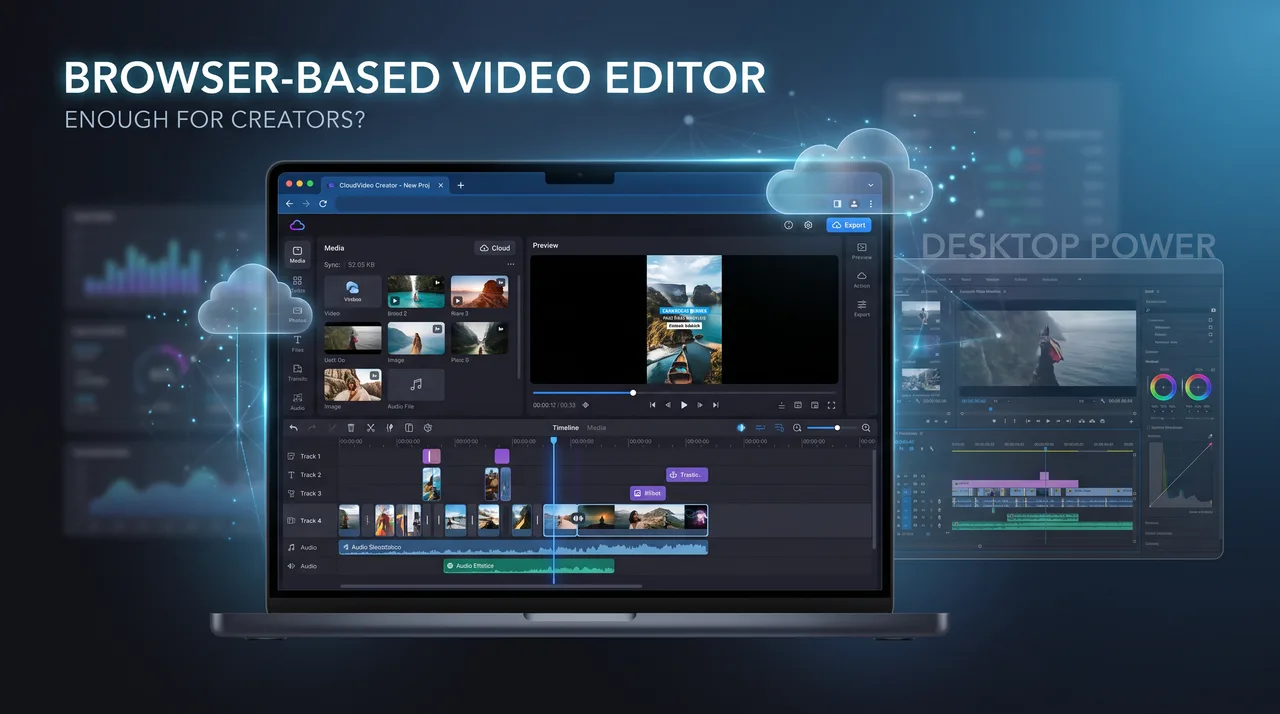
TL;DR: If you make short-form content, a browser video editor is usually all you need. It handles captions, resizing, and fast exports better than desktop tools for social clips. Long-form, heavily layered, or client-grade work still belongs on desktop software. Most creators do best with a hybrid: desktop for depth, cloud for speed.
For years, serious video work meant a powerful computer, a licensed desktop app, and a lot of patience while things rendered. That assumption is quietly falling apart. A modern browser video editor now handles cutting, captioning, and exporting entirely in the cloud. No install, no render farm, no 40GB software update.
But convenient and capable aren't the same thing. If you're deciding whether to ditch your desktop timeline, the real question isn't whether browser tools work. It's whether they're enough for the kind of content you actually make.
What a browser video editor does well
The biggest advantage is friction, or the lack of it. You open a tab, drop in a clip, and start editing. Nothing to download, nothing to license per machine, nothing tying you to one computer. If you bounce between a laptop, a work desktop, and the occasional borrowed device, that portability is genuinely freeing.
Cloud tools also tend to lead on the features that matter most for short-form:
- Auto-captions accurate enough to publish with light editing
- Templates and presets sized for TikTok, Reels, and Shorts
- One-click repurposing — turning a 20-minute recording into a stack of clips
- Built-in stock assets, so you're not juggling separate libraries
Because these platforms update server-side, you get new features without patching anything. The tool you used last month is quietly better this month.
Speed for the format that needs it most
Short-form is a volume game. If you're posting daily, the bottleneck is rarely the artistry. It's the turnaround. Online video editing tools are built for that reality. Trimming, captioning, resizing to vertical, and exporting take minutes because the heavy processing runs on remote servers, not your laptop's overworked fan.
For a creator chasing more clips, faster, this is often the deciding factor.
Where a cloud editor still hits its limits
Let's be honest here. A cloud editor isn't a like-for-like replacement for a full desktop suite, and pretending otherwise leads to frustration mid-project.
Complex, layered projects
If your work involves dozens of video tracks, precise keyframing, advanced color grading, or intricate audio mixing, desktop software still wins. Browser tools have improved a lot, but they typically cap the depth of control that cinematic or highly produced work demands.
Dependence on your connection
No internet, no editing. That's the trade for the convenience. Some tools offer partial offline caching, but a browser video editor is fundamentally a networked experience. On a shaky connection, uploads stall and playback stutters.
Large files and long footage
Uploading raw 4K footage to the cloud takes time and bandwidth. For someone editing a two-hour multicam shoot, the upload alone can swallow the time savings. Short clips move fast. Heavy source files don't.
| Factor | Browser video editor | Desktop software |
|---|---|---|
| Setup time | Instant | Install + license |
| Works offline | Rarely | Always |
| Handles 4K raw footage | Slower (upload) | Native |
| Advanced grading/audio | Limited | Full |
| Short-form turnaround | Excellent | Good |
| Access across devices | Anywhere | Per machine |
| Auto-caption quality | Strong | Add-on dependent |
Matching the tool to your work
The "is it enough" question only gets a useful answer once you name what you're editing.
You're mostly making short-form clips
If your output is Reels, Shorts, TikToks, and repurposed podcast snippets, a browser video editor is very likely enough, and often better than desktop software for that specific job. The captioning, resizing, and templating are built for exactly what you do. You'll spend less time fighting the tool and more time publishing.
You produce long-form or highly polished content
Documentary edits, YouTube videos with heavy motion graphics, or client work with strict color specs still favor a desktop timeline. Here, online video editing works better as a sidekick for quick social cuts than as your main tool.
You do a mix
Many working creators land here, and the smart move is a hybrid workflow. Edit the flagship long-form piece on desktop, then push the raw or finished file into a cloud editor to spin off short clips. You get depth where you need it and speed where it counts.
Questions to ask before you commit
Before you make a browser tool your main editor, run through this checklist honestly:
- What's my typical export length? Under two minutes leans cloud; over ten leans desktop.
- How often do I switch devices? Frequent switching strongly favors a browser editor.
- Is my internet reliable? If not, factor in downtime.
- Do I need frame-accurate audio or color work? If yes, don't rely on the browser alone.
- How much do I value speed over control? Short-form creators usually pick speed.
Your answers, not the marketing, decide whether a cloud editor fits.
The collaboration factor people overlook
One underrated strength of online video editing is teamwork. Because projects live in the cloud, a client, editor, and reviewer can all open the same project link. Comments, revisions, and approvals happen right there, without exporting a preview, uploading it somewhere, and emailing a link.
If you work with an editor or run a small team, this alone can justify the switch. Desktop suites treat collaboration as an afterthought. Cloud tools treat it as the point.
Cost and the hidden math
Desktop software often means ongoing subscriptions plus a machine powerful enough to run it. A browser video editor usually bundles the compute into the plan. You're not paying for a graphics card to render your effects, because someone else's server does the work.
That said, watch for usage caps. Some cloud editors limit export minutes, watermark free tiers, or throttle upload storage. Read the plan carefully so the "cheaper" option doesn't cost more once you're producing at volume.
So, is a browser video editor enough?
For most creators focused on short-form, the answer is a confident yes. The features fit the format, the turnaround is faster, and being able to edit from anywhere removes real friction from a daily posting habit.
For creators doing long-form, layered, or client-grade production, a browser tool is a strong secondary. It's excellent for repurposing, but not yet a full replacement for the desktop timeline.
For most people, the best approach isn't picking a side. It's using the right tool for each job: desktop for depth, a cloud editor for speed and social output. Try a browser video editor on your next batch of clips and measure the time you save. If the quality holds and the workflow feels lighter, you already have your answer.