E-commerce

Product shots and video ads, from one photo

Upload one photo of the product. Splicora generates the studio shots and lifestyle scenes around it, five angles with Smart Shot, a short video ad, and a presenter who talks about it, then captions and schedules the lot to the platforms your customers are on.

Free plan · No credit card · Works in the browser

Splicora for e-commerce brands in Splicora

What you get

Splicora for e-commerce brands, in practice

Keep the product exact

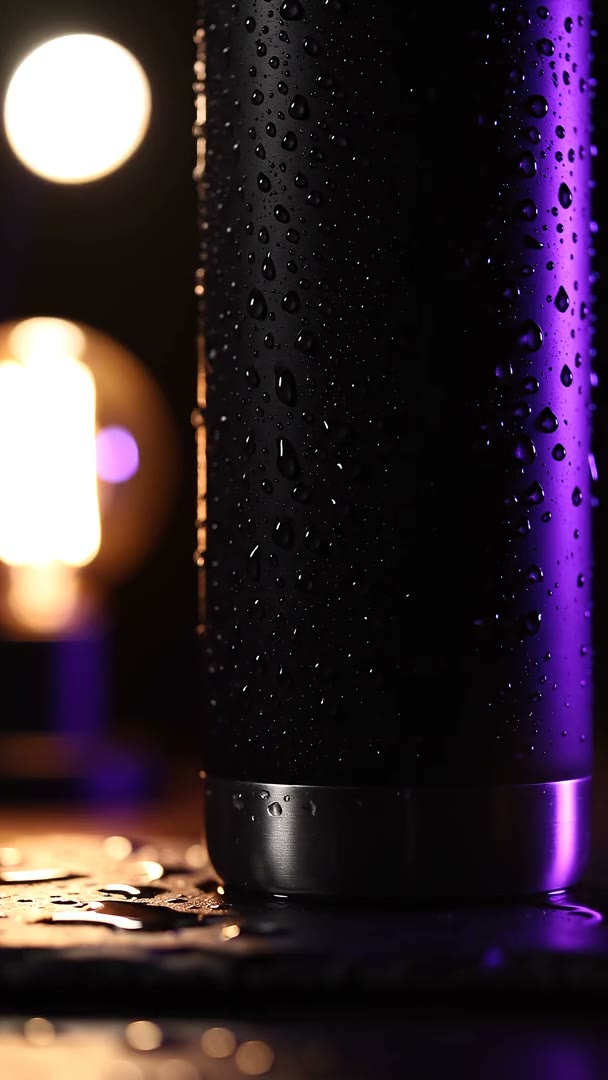
Attach the photo as a reference and the generator works from it rather than from a description, so what comes back is your bottle on a different table and not a bottle like yours.

Five angles from one idea

Smart Shot writes a shot list of 3 to 5 angles, renders each one and cuts them together in order, so the result is a sequence rather than one clip on its own.

Video ads without a shoot

Text to video or a still animated into movement, priced by the second from 1 credit and shown before you run it. A 15 second ad at the cheapest rate is 15 credits.

A presenter who always shows up

An avatar built from photographs you provide, lip-synced to a script, at 60 credits to 60 credits a minute. Saved as a character, it is the same face in every clip.

The catalogue problem

A product needs more pictures than a shoot produces. The listing wants a clean studio shot, the ad wants the same object in a kitchen, Pinterest wants it vertical, Instagram wants it square, and the week after launch wants six more that nobody budgeted for.

Reshooting is slow and expensive. Describing the product to a generator and hoping is worse, because what comes back is a plausible product that is not yours, which is useless for a listing and risky in an ad.

The route this page is about is the third one: give the generator the photograph you already have and ask for the scene around it.


The catalogue problem

Images that keep the product true

The image generator takes reference images as well as a prompt. Attach the product photo, describe the setting, and the output keeps the shape, the label and the colour of the thing you actually sell.

  • A picture costs 1 credit to 2 credits, shown on the button before you press it.
  • Edit on canvas rather than regenerate: change the background, remove a hand, extend the frame to a different ratio.
  • Every ratio the platforms want comes out of the same prompt, so the square and the vertical are the same picture rather than two crops.

What this does not do is invent a product you have not made. A reference image is the honest way to use this, and the results are better than a description anyway.

Images that keep the product true

Video ads and angles

The video generator animates a still or builds a shot from a sentence, priced per second from 1 credit to 3 credits and always shown before it runs. Resolution goes up to 1080p today.

Smart Shot is the part worth knowing about for a product. One idea becomes a shot list of 3 to 5 angles, each rendered and cut together in order: the close-up, the hand reaching in, the wide. That is a sequence that reads as an advert rather than a single clip that reads as a test.

Captions go on top from the subtitle generator, because most of these are watched with the sound off.

Video ads and angles

A presenter and a voice for the brand

An avatar reads a script lip-synced, built from photographs you provide. Saved as a character it is the same presenter every time, which is what makes a face worth using at all. 60 credits to 60 credits a minute.

A voice reads a script from 1 credit a minute, in any of 30 languages through the multilingual voices, so the same ad can go out in two markets without being recorded twice. A clone of a real voice is free to make, 1 credit a minute to read and needs that person's recorded consent.

Be straight about what this is: a presenter you have the rights to, reading copy you wrote. It is not a way to put a face you do not own in front of your product.

A presenter and a voice for the brand

What a launch costs on Pro

Pro $39 is 500 credits a month. A launch week for one product, priced out:

  • Eight images at 1 credit to 2 credits each: between 8 credits and 16 credits.
  • Five Smart Shot angles of 5 seconds each at the cheapest rate: 25 credits.
  • A 15 second ad: from 15 credits.
  • A one minute presenter clip: 60 credits to 60 credits.
  • Captions: 2 credits a clip. A cover: 1 credit.

That is a launch inside a single month's allowance with room for the next one. The pricing page has every price, and Teams $79 is the step up if more than one person is making this or you want a workspace per product line.

What a launch costs on Pro

Questions

The things people ask first.

If you attach the photo as a reference, it works from your product rather than from a description, and keeps the shape, the label and the colour. Check each result before it goes anywhere near a listing: this is generation, not photography, and the right place for it is the scene around the product.

What Splicora makes is yours to use commercially, with watermark-free exports from Starter $19 upwards. The advertising platforms have their own rules about disclosing generated imagery, and those are worth reading before a campaign goes live.

You can generate a person in a scene, and you can use an avatar built from photographs you have the rights to. What you cannot do is make a real person appear to endorse the product without their consent, and a voice clone needs that person recorded giving it.

Yes, natively, along with 9 other platforms from the same calendar. A pin goes out as a pin rather than as a link somebody has to tap through.

Yes, and that is a workspace each. See Splicora for agencies for how client workspaces, review links and approvals work from their side.

Most e-commerce start on Pro at 39 a month. See what each plan includes.

Also in Splicora

You do not have to start with a recording.

The same workspace generates images, video, voices and avatars from a sentence, with the price of each shown before you spend a credit. Whatever it makes lands in the project beside the clips, captions and posts, ready for the same scheduler.

Start with what you have.

A link, an upload, or a sentence. Every price is shown before you spend a credit.

We use cookies for analytics. Necessary cookies always run. Cookie Policy